
Download Pebble Halo – health tracking, wellness app, smart ring companion, activity monitoring, sleep insights, Google Fit integration, gesture control, real-time data sync, wellness dashboard
Overview
Pebble Halo is a dedicated companion application designed for users of the Pebble Halo smart ring, currently available exclusively on the Android platform. The app serves as a central hub for health and activity data collected by the wearable device, enabling users to monitor key wellness metrics in real time. Its primary purpose is to streamline the synchronization of health data, including steps, calories burned, distance traveled, heart rate, and sleep patterns, ensuring that users have consistent and up-to-date insights into their daily well-being. This makes it particularly useful for individuals focused on long-term health tracking, fitness optimization, and sleep quality improvement.
The application is tailored for consumers and health-conscious individuals who rely on wearable technology to support their wellness journey. By integrating with Google Fit, Pebble Halo enhances data accessibility by consolidating information across platforms, offering a unified view of personal health metrics. The app’s real-time sync capability ensures that users do not miss critical updates, while its wellness dashboard provides a clear, visual summary of daily activity, sleep duration, and heart performance. These features support proactive health management and help users identify trends over time. The inclusion of gesture control functionality further enhances usability, allowing users to manage media playback with simple hand movements, adding convenience during workouts or rest periods.
Key Features & Capabilities
- Real-Time Data Sync: Automatically updates health and activity metrics such as steps, calories, distance, heart rate, and sleep data, ensuring users always have the latest information at their fingertips.
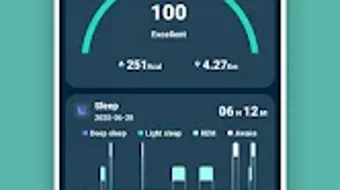
- Comprehensive Wellness Dashboard: Offers a centralized, easy-to-read interface displaying daily activity summaries, sleep quality scores, and heart performance trends for holistic health monitoring.
- Google Fit Integration: Seamlessly connects with Google Fit to consolidate health data, enabling users to maintain a unified health profile across multiple apps and devices.
- Sleep Insights: Provides detailed analysis of sleep patterns and duration, helping users understand their sleep cycles and make informed decisions to improve rest quality.
- Gesture Control: Allows users to control media playback using hand gestures, enhancing convenience during physical activity or while relaxing.
These features are designed to support users in maintaining consistent health habits and gaining deeper insights into their daily routines. For instance, the real-time sync ensures that users can track their progress throughout the day without manual intervention. The wellness dashboard simplifies complex data into actionable visuals, making it easier for users to interpret trends and adjust behaviors accordingly. The Google Fit integration is especially beneficial for those already invested in the Android health ecosystem, as it eliminates the need for duplicate data entry. Sleep insights help users recognize disruptions in their sleep patterns, while gesture control adds a layer of hands-free convenience during workouts or evening relaxation.
User Interface, Workflow & Performance
The user interface of Pebble Halo is described as clean and intuitive, prioritizing ease of navigation and immediate access to key wellness information. The layout appears optimized for Android devices, with a focus on readability and visual clarity. Users can quickly access their daily activity summaries, sleep reports, and heart rate trends through a well-organized dashboard. Navigation between sections is likely streamlined, minimizing the number of taps required to reach desired data points.
Workflow efficiency is enhanced by the app’s automatic syncing feature, which reduces manual input and ensures that health metrics are consistently updated in the background. This minimizes user effort and supports continuous monitoring without interruption. While specific performance data such as CPU or RAM usage was not provided, the app’s lightweight design—evidenced by its 34.5 MB installation size—suggests efficient resource utilization. The developer did not specify resource usage details, but the app’s focus on background synchronization implies optimized performance to maintain battery life and system responsiveness. Stability is expected to be consistent, given the app’s purpose as a companion tool for a wearable device, where reliability is essential for accurate data tracking.
Compatibility & System Requirements
Pebble Halo is compatible with Android operating systems, though specific version requirements were not listed. The app has a file size of 34.5 MB, indicating a relatively compact footprint that should not significantly impact device storage. Installation is straightforward, and the app is designed to work with the Pebble Halo smart ring, which serves as the primary data source.
Exact system requirements were not listed, and the developer did not provide additional hardware specifications. Platform compatibility information is limited to Android, with no mention of support for iOS or other operating systems. Users should ensure their Android device is paired with the Pebble Halo smart ring to fully utilize the app’s features. The app’s reliance on Bluetooth connectivity for data transfer suggests that devices with stable Bluetooth functionality are recommended for optimal performance.
Pros and Cons
Pros
- Free to download and use, making it accessible to a broad audience.
- Real-time synchronization ensures up-to-date health data.
- Intuitive interface designed for quick access to wellness metrics.
- Seamless integration with Google Fit for unified health tracking.
- Provides detailed sleep insights and heart performance analysis.
- Includes gesture control for convenient media management.
Cons
- Available only on Android, limiting accessibility for iOS users.
- Specific system requirements and compatibility details were not disclosed.
- Performance under heavy usage or extended sync sessions was not specified.
- Limited to users of the Pebble Halo smart ring, reducing broader appeal.
FAQ Section
Is Pebble Halo available for iOS devices?
Pebble Halo is currently available only on Android. There is no official support for iOS devices at this time.
Is the app secure and safe to use?
The app is designed to handle personal health data securely. While specific security measures were not detailed, it operates as a companion to a wearable device and uses standard Bluetooth and cloud synchronization protocols.
How often does the app sync data?
Data is synced automatically in real time when the device is within range and connected via Bluetooth.
Does the app require a subscription or in-app purchases?
Pebble Halo is free to download and use with no reported in-app purchases or subscription fees.
Can I use Pebble Halo without the Pebble Halo smart ring?
No, the app is designed exclusively as a companion to the Pebble Halo smart ring and requires the device to function properly.
Final Thoughts + CTA
Pebble Halo delivers a focused and functional experience for Android users invested in health and wellness tracking through the Pebble Halo smart ring. Its real-time sync, clean interface, and Google Fit integration make it a reliable tool for monitoring daily activity, sleep quality, and heart health. While its availability is limited to Android and the Pebble Halo device, it offers strong value for its target audience. The inclusion of gesture control adds a thoughtful touch, enhancing usability during active and restful moments alike. For users seeking a seamless, free companion app that provides meaningful insights into their wellness journey, Pebble Halo stands out as a solid choice.
Download Pebble Halo now







